AI filmmaking / Research note
An idea, a minute of film,
and a sensible AI budget.
I wanted to turn an idea into a finished short film without adding another monthly subscription. I have two RTX 3090s, so running everything at home was tempting. The more useful question became: how much time and money does a good, usable shot actually cost?
Using an open production skill with pay-as-you-go APIs can make occasional filmmaking much cheaper. I pay for the footage I generate, keep the script and editing files, and can change the model behind a shot. With a suitable local model, I can use hardware I already own and pay the running costs instead.
OpenMontage for the production workflow. MiniMax H3 as the first cloud model to test. At the checked 768p rate, a minute of generated footage costs $4.80. Three takes for each shot brings the footage budget to $14.40, before images, references and other services. The 768p route needs an adapter change or a direct call.
See the budget →Watch the samples →Pay for the work, keep the workflow
The savings are easiest to see when usage is irregular. As a same-model example, generating 50 seconds with Runway Gen-4.5 through its API consumes 600 credits: $6 in model usage. Runway Standard costs $15 for a month and includes 625 credits; its $12 monthly headline requires an annual commitment of $144. For that small job, API usage is 60% below the monthly subscription price. This compares generated footage, not 50 seconds of guaranteed usable film. API rates; subscription plans.
Unused allowances matter too. Runway Standard and Pro monthly credits expire each billing cycle; Max allows one month of rollover. Purchased credits have different rules, and web-app credits are separate from API credits. A quiet month can still cost money on a subscription. Credit and rollover rules.
The other saving is the cost of moving. If I keep prompts, reference images, source clips, the timeline and rendering instructions in ordinary files, I can try a cheaper host for the next shot without rebuilding the film inside another service. That reduces dependence on one editor, credit system or model catalog. Adapters still need maintenance, and a closed model remains dependent on its provider.
Local inference can reduce the cash cost further when the hardware is already paid for. As an illustration, a system drawing 500 watts at the wall for two hours uses one kilowatt-hour: multiply that by the local electricity tariff. That is an energy calculation, not a measured runtime or power draw for my cards.
This works best for occasional projects and people comfortable with a little setup. A subscription can be better value when its credits are fully used, a relevant unlimited tier applies, or its editor saves hours. Local generation also has electricity, hardware wear, setup time and retakes to account for. A skill removes some packaging costs; it does not make inference or the agent running it free.
A skill, a model and a movie are different pieces
The starting point was this collection of video skills for coding agents. It covers a lot of ground: animated explainers, editing tools, avatars, motion graphics and generated scenes. A playable MP4 can come from any of those paths.
A skill gives an agent instructions and a process. A video model generates footage. An API host runs the model and bills for it. MCP gives the agent a standard way to discover and call tools. Connecting a model through MCP still leaves its compute and billing somewhere.
- 01Idea & scriptWhat happens, and why?
- 02StoryboardCharacters, shots, references
- 03Generate & chooseSeveral takes, useful footage
- 04Edit & soundPacing, continuity, final MP4
Remotion and HyperFrames are useful composition tools: they can turn authored code, images and clips into a video. Cinematic footage comes from a model or an existing source. A production system coordinates those pieces and keeps track of the decisions.
For a minute-long film, I would plan a sequence of short shots. Twelve five-second shots are an easy budgeting example. The real edit may need more footage for trimming, transitions and alternative coverage. A model’s short clip limit does not limit the length of the finished movie.
The shortlist that was worth inspecting
I looked for coverage from an idea to a finished file: script, shot plan, visuals, voice or sound, and assembly. Some projects cover that whole process; others supply one useful component.
| Project | What it covers | Where the work runs |
|---|---|---|
| OpenMontage | Production planning, generated assets, sound, editing and final composition. | Local tools, local GPU models and several cloud APIs. |
| Digital Samba video toolkit | Scene-based videos with generated footage, narration, music and rendering. | Its supplied LTX deployment uses Modal; local GPUs need adaptation. |
| Vox Director | A topic becomes a paper-collage explainer with motion, voice and captions. | Atlas Cloud generation and local FFmpeg assembly. |
| Magic Hour skills | Agent instructions for generating and editing media through API or MCP. | Paid hosted inference. The agent coordinates production. |
| ltx2-vidgen-skill | LTX-2.3 clips, synchronized sound, keyframes and video transformations. | A self-hosted Modal GPU endpoint; it supplies clips rather than a complete film workflow. |
| explainroo | Narrated explainers using local speech, word timing and code-drawn visuals. | Local; a practical option when illustrated explainers suit the subject. |
OpenMontage was the broadest match for this particular goal. It has production plans, generation tools, editing and composition, along with a storyboard/review workflow. Its local and cloud backends make it possible to change the source of the footage without rebuilding the entire process. Its code is AGPL-3.0; the connected models and services have their own terms. Project documentation.
For an educational drawing-and-narration video, I would also consider explainroo. For a paper-collage explainer, Vox Director supplies a more specific visual language. The intended look matters as much as the list of integrations.
The two-3090 temptation
Assuming standard RTX 3090 cards, my hardware gives me two 24GB devices. The combined 48GB is useful, but a single-GPU application cannot automatically treat it as one 48GB card. The runtime must explicitly split the model or distribute the work. Two independent workers are another option; that is a throughput strategy, not a promise of exactly double the speed. CUDA device and memory behavior.
Wan 2.2 TI2V-5B is a documented starting point for 24GB hardware with CPU offloading. That establishes feasibility. It does not establish that the model meets my quality bar or that a one-minute film will be quick to produce.
Wan’s published reference reports 534.7 seconds for TI2V-5B text-to-video on one RTX 4090. This is the maker’s benchmark with its stated settings—not a measurement on my 3090s, and not a prediction for an optimized or distilled workflow.
Inspect the published table ↗
At roughly nine minutes per shot, twelve shots would mean about 108 GPU-minutes for a first pass. That arithmetic is a planning scenario. Retakes, loading and editing add work; parallel workers and optimized runtimes can change elapsed time.
Local hosting alone does not make output worse, and cloud hosting alone does not improve it. The checkpoint and generation settings matter. The efficient 5B model is different from Wan’s larger A14B variants. I would establish the look I want with a few cloud samples before spending days tuning a local deployment. Wan model descriptions and reference implementation.
Watch the official Wan 2.2 family showcase
This demo appears in more than one model card. It is labeled as a family showcase, so it should not be read as a demonstration of TI2V-5B alone or expected performance on a 3090.
Wan 2.2 · family showcase
Official sampleAn official curated demo with the exact checkpoint unspecified. Useful for seeing the family’s visual range, not for measuring local performance.
Original source ↗A useful local bridge: WanGP
WanGP is outside the original skills list, but it is relevant to a machine like mine. It supports several video, image and audio models, memory offloading, and a native MCP server. After installing it through its official guide, this starts its interface and MCP on a selected GPU:
python wgp.py --mcp-webui --gpu cuda:0The default MCP endpoint is http://127.0.0.1:8000/mcp. Connecting a director skill to it still requires integration work. OpenMontage’s own Wan and ComfyUI adapters are the more direct starting paths. WanGP’s CLI and MCP documentation.
Other local paths include HunyuanVideo, CogVideoX and LTX. Larger LTX models require an appropriate quantized/offloaded workflow; two cards do not remove that requirement. “Open weights,” free software and unrestricted commercial use also mean different things, so I would check the chosen model’s license before building a production service around it.
OpenMontage leaves room to change services
A gateway such as fal or Atlas offers several models through one account. A direct provider API can offer different pricing or features. OpenMontage has both types of integration, plus local execution and self-hosted Modal endpoints.
| Service or route | Video families represented in the inspected adapters |
|---|---|
| fal.ai | Kling, Veo, Seedance, Gemini Omni, MiniMax/H3 Max and Wan 3.0. |
| Atlas Cloud | Cataloged Seedance, Gemini Omni, MiniMax H3 and Wan 3.0 routes. |
| Replicate | Seedance 2.0 and Wan 3.0; operation coverage differs from other hosts. |
| Direct Veo and Gemini Omni routes. | |
| Kling official | Direct Kling generation and reference workflows. |
| Volcengine Ark / Jimeng | Seedance through Ark; a separate Jimeng 3.0 Pro adapter. |
| MiniMax | Direct H3 and older Hailuo models. |
| xAI | Grok Imagine Video. |
| Runway | Native Gen-4/4.5 and selected partner models. |
| Lightricks | Direct LTX-2.5 Fast and Pro. |
| Tencent TokenHub | Hunyuan cloud generation. |
| HeyGen / Higgsfield | Additional model gateways and presenter-related workflows, with their own catalogs and access rules. |
This map describes implemented routes in the inspected source snapshot. It does not establish current entitlement on every account. A model’s name, version, resolution, reference support and audio settings must match the actual endpoint. ComfyUI Partner Nodes also call paid hosted services; putting one in a local graph does not make it offline.
What “state of the art” meant in this research
I used independent, blind-preference rankings to narrow the field. On October 15, 2026, MiniMax H3 at 768p led the audiovisual image-to-video boards at Artificial Analysis and Arena. On Artificial Analysis, Seedance 2.5 and Gemini Omni Flash 1.1 were close enough that their confidence intervals overlapped H3’s.
The same site’s silent image-to-video board placed H3 fourth, close to its leading group. That helps explain the choice beyond native sound. For text-to-video, Wan 3.0 led Artificial Analysis, while Arena’s ordering differed. The task and benchmark matter. Text-to-video board.
My conclusion is narrower than “H3 wins every scene”: H3 is a strong first candidate for high-quality footage at a relatively low API price. H3 Max and Turbo are distinct variants. A score for one cannot be carried over to another because their names are similar.
These rankings evaluate short clips, not a complete film’s continuity or story. For the final choice, I would compare a face/acting shot, an action shot and a camera move using the same references, then count how many takes I would keep.
Watch the model families
These are official, curated demonstrations—not a controlled comparison. Prompts, output tiers, retakes and editing differ. The captions identify the actual variant where the source provides it. None of these samples was generated for this article.
MiniMax H3
Official sampleA singing character combines camera, image and audio references. This is the generated output in the release post; the output tier is not specified.
Original source ↗H3 Max
Official sampleA chef talks to the camera in a kitchen. Useful details to watch: mouth movement, facial expression and the sound of the room.
Original source ↗H3 Max Turbo
Official sampleA 768p, five-second typography example from the exact Turbo endpoint. This is a separate model from the ranked H3 and H3 Max entries.
Original source ↗Wan 3.0
Official sampleA lighthouse in a storm: a 30-second, 480p endpoint example. Its resolution differs from the 720p price in the budget table.
Original source ↗Seedance 2.5
Official sampleThe published one-take example follows a singer from backstage to an arena. Watch how movement, lighting and identity carry through the scene.
Original source ↗Kling 3 Standard
Official sampleA drone-like move through overgrown stone ruins. This example is Standard, not the Pro or Omni variants used in some leaderboard entries.
Original source ↗More official examples: Google, LTX, Grok and Runway
Gemini Omni 1.1 Flash
Official sampleA mountain landscape at sunrise from the official developer examples. Look at depth, atmosphere and the camera move.
Original source ↗Veo 3.1
Official sampleThe official model-page showcase loop. This is a curated presentation, not a documented single raw API generation.
Original source ↗LTX-2.5
Official sampleThe model maker’s multi-shot capability example. The page does not identify whether the serving tier was Fast or Pro.
Original source ↗Grok Imagine Video 1.5
Official sample Watch the official demo ↗
A product-reveal example from the official documentation. Consider material consistency, motion and the usefulness of an image reference.
Original source ↗Runway Gen-4.5
Official sample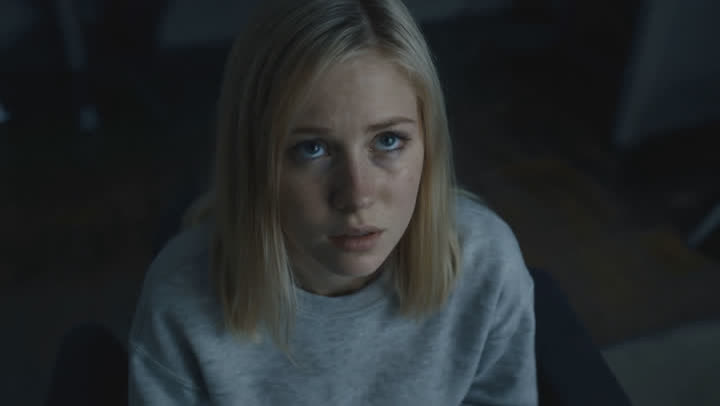 Watch the official demo ↗
The official photorealism example. Open the original showcase to compare lighting, textures and movement.
Original source ↗Historical reference: Sora 2
OpenAI’s Videos API and Sora 2 models shut down on September 24, 2026. This launch-era sample remains useful as a visual reference, but Sora is excluded from the current buying shortlist. Official shutdown notice.
Sora 2 · historical
Historical demoAn ice-skating scene from the original Sora 2 launch examples. This is historical media, not evidence of a currently available API.
Original source ↗Players load their video from the original host when you choose to play. Sample media belongs to its respective creators. Each card links to the page that published it; use that source if an embed stops working.
Price the footage you have to generate
A $4.80 minute of generated output is not a $4.80 finished film. The number that matters is the cost of finding enough usable shots. I would track both the cash spent and the time spent waiting, reviewing and trying again.
| Model and API host | Output | 60 generated seconds | Three takes |
|---|---|---|---|
| MiniMax H3 · direct | 768p | $4.80 | $14.40 |
| MiniMax H3 · direct | 2K | $7.80 | $23.40 |
| H3 Max · fal | 768p | $4.80 | $14.40 |
| H3 Max Turbo · fal | 768p | $2.40 | $7.20 |
| Wan 3.0 · fal | 720p | $6.00 | $18.00 |
| Seedance 2.5 · fal | 720p | ≈ $28.38 | ≈ $85.14 |
“Three takes” means three candidates per required shot, including the accepted candidate: 180 generated seconds for a 60-second cut. It is a planning example, not a measured success rate. Separate images, billable references, agent usage, narration/music services, cloud rendering and taxes are additional. Native model audio is part of these models’ generated output.
Turbo is cheaper, but an independent score for that exact variant was not established here. A low price is a reason to test it, not proof of the same quality.
Compare hosts as carefully as models
The Seedance row is fal’s published approximation, not Seedance’s global minimum. ByteDance’s official Ark sheet gives a no-video-input example of CNY 7.56 for five seconds at 720p: CNY 90.72 for 60 seconds before retakes. I keep that in yuan rather than conceal an exchange-rate assumption. Reference-video billing follows different token rules. Official Ark pricing.
Atlas advertises additional pricing routes, but a “from” price is not enough to establish an equivalent resolution, reference allowance or permanent rate. I would compare a quote for the exact request. The budget table uses verifiable endpoint prices, rather than an unsupported claim about the cheapest seller everywhere.
The easy-to-miss charges
MiniMax bills reference video as input as well as charging for output. Images beyond the included allowance can add charges too. A technically successful result that I discard still belongs in the creative budget; an API failure is a different case. MiniMax’s output and input pricing.
Self-hosting a model on a cloud GPU also has a meter. For example, ltx2-vidgen-skill’s advertised few-cents clip figure measures warm compute; its deployment keeps the GPU warm for 20 minutes. Loading and idle time are billable on Modal. The supplied 96GB GPU setup is also different from my local cards. Deployment settings and Modal billing.
Two adapter details change the cheapest route
The provider API and the integration were not quite in step. The official MiniMax API supports H3 at 768p and 2K, but the inspected OpenMontage direct adapter rejects anything other than 2K. Using the cheaper tier therefore needs an adapter update or a direct call whose result is imported. Pinned H3 adapter.
OpenMontage already has an H3 Max route. Its Turbo variant needs a separate route; the existing Wan-on-fal adapter similarly exposes Wan 3.0 rather than the inexpensive Wan 2.2 Turbo endpoint discussed during the research. The tool’s price estimate should also be checked against current provider billing. H3 Max route and Wan route.
For a first production, I would either enable H3’s official 768p tier or start with the existing H3 Max integration. I would test Turbo separately before trusting it for the shots that carry the film.
The first film I would make
I would begin with a small, bounded production rather than installing every tool in the catalog. The goal is a finished minute with a clear idea and consistent visual direction.
- Write the story before spending on motion. Define the audience, tone, ending and spoken words. Turn that into a shot list with approximate durations.
- Approve the references. Create character and location sheets, then a still frame for each important shot. Fix the look while changes are inexpensive.
- Test the three difficult shots. Compare H3 and the cheaper Turbo candidate on acting, action and camera control. Record price, elapsed time and accepted takes.
- Generate in short batches. Set a spending cap and review each batch before requesting more. Reuse references deliberately and leave enough footage for cuts.
- Edit for a single film. Review faces, wardrobe, lighting, pacing and sound across shots. Assemble the cut, then handle titles, captions and the final mix.
- Check the delivered file. Watch the export, listen through it, check caption readability and keep the prompts, takes and receipts with the project.
A useful brief for an agent would be:
Make a 60-second cinematic short from this idea. Propose the script, shot list and reference images first. Use image-to-video for the approved shots. Show the exact model, output tier and estimated cost before paid generation. Keep a log of every take and expense, stop at the spending cap, and deliver a reviewed MP4 with consistent sound and captions.
My two 3090s still have a place: reference images, supporting audio tasks, experiments and, eventually, a local workflow whose quality I already understand. I would decide where to run generation after seeing what earns a place in the edit.
What was checked
This is a dated research note, not a claim that I installed and benchmarked every model. The work checked project documentation and adapter code, independent rankings, official price sheets, a published GPU benchmark and publicly available sample media. It did not make paid generation calls or measure performance on my cards.
The OpenMontage code references are pinned to commit e45f5b12bd46. Prices and availability were checked on October 15, 2026. Before spending, I would recheck the chosen endpoint’s live quote and account access. The links throughout the note identify the sources behind the comparisons.